
Download Window Detective – Process Property Viewer, Window Tracker, System Monitor
Overview
Window Detective is a specialized mobile application designed for users seeking detailed insight into running processes and window behaviors on their devices. The app enables users to monitor and manipulate process properties through a right-click interface, offering a granular view of system activity. Its primary purpose is to support performance analysis and resource management by allowing users to examine individual processes and their associated windows in real time. This functionality is particularly valuable for advanced users managing complex workflows or troubleshooting system inefficiencies.
The application targets users with intermediate to advanced technical knowledge, including developers, system administrators, and power users who require deeper visibility into device operations. While the app may present a learning curve for beginners due to its technical nature, its structured interface helps streamline access to critical system data. Real-world use cases include identifying resource-intensive applications, diagnosing performance bottlenecks, and optimizing device efficiency. In the broader app ecosystem, Window Detective fills a niche for utility tools that go beyond standard task managers, offering a more refined approach to system monitoring.
Although the developer did not provide additional technical details, the app’s release date of September 9, 2011, suggests a long-standing presence in the mobile utility space. Its continued relevance underscores its utility for users who prioritize system control and transparency. The app remains a reliable tool for those who value precision and insight in mobile device management.
Key Features & Functionality
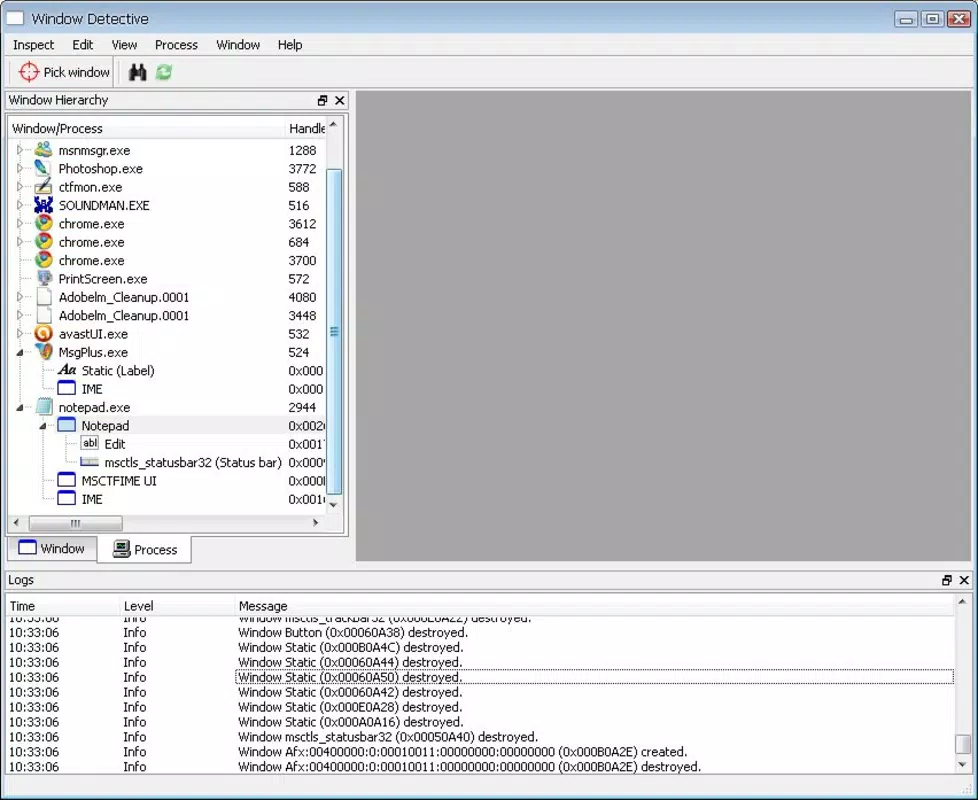
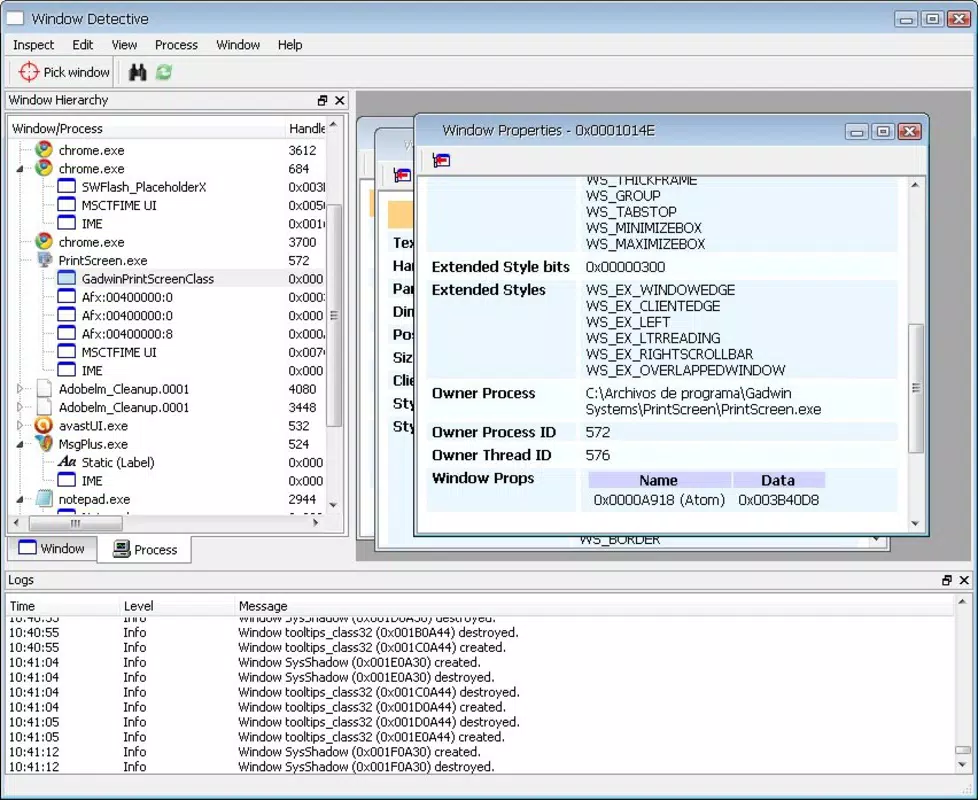
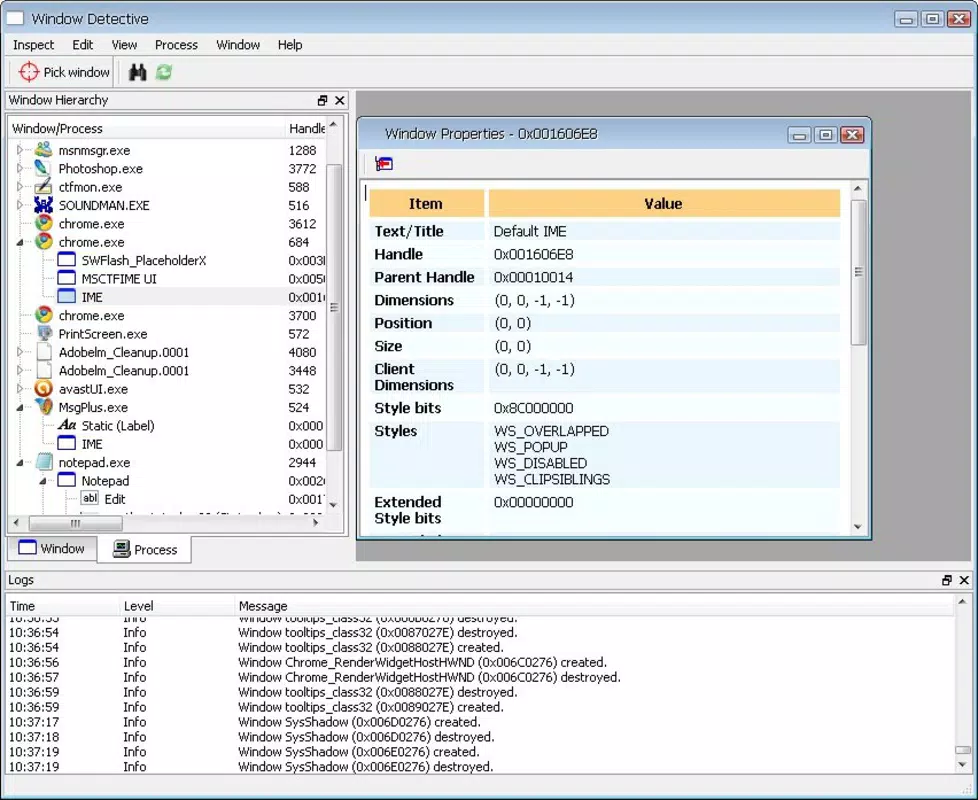
- Process Property Viewer: By right-clicking on any running process, users can access a detailed view of its properties, including resource usage, memory footprint, and execution status. This feature supports troubleshooting by revealing how each process behaves under different conditions.
- Manual Window Selection: Users can manually select a specific window to analyze its operation in real time. This allows for focused monitoring of individual applications, helping users understand what specific windows are doing at any given moment.
- Detailed Parameter Insights: The app presents a comprehensive list of parameters tied to each process, such as thread count, priority level, and CPU utilization. These insights help users detect anomalies or inefficiencies in system performance.
- User-Friendly Interface: Despite its technical depth, the interface is designed to be intuitive, with essential actions accessible through simple gestures. This reduces friction for users who may not be deeply familiar with system-level operations.
- Resource Consumption Analysis: Window Detective serves as a powerful monitoring tool, providing real-time data on how applications consume system resources. This is essential for users aiming to optimize device performance or identify applications that are overusing memory or CPU.
For example, a developer managing multiple background services can use the manual window selection feature to isolate a lagging app and assess its impact. Similarly, a system administrator can leverage detailed parameter insights to detect a process consuming excessive memory, enabling timely intervention. These capabilities make Window Detective a practical utility for real-time system diagnostics and long-term performance tuning.
Interface, UX & Performance
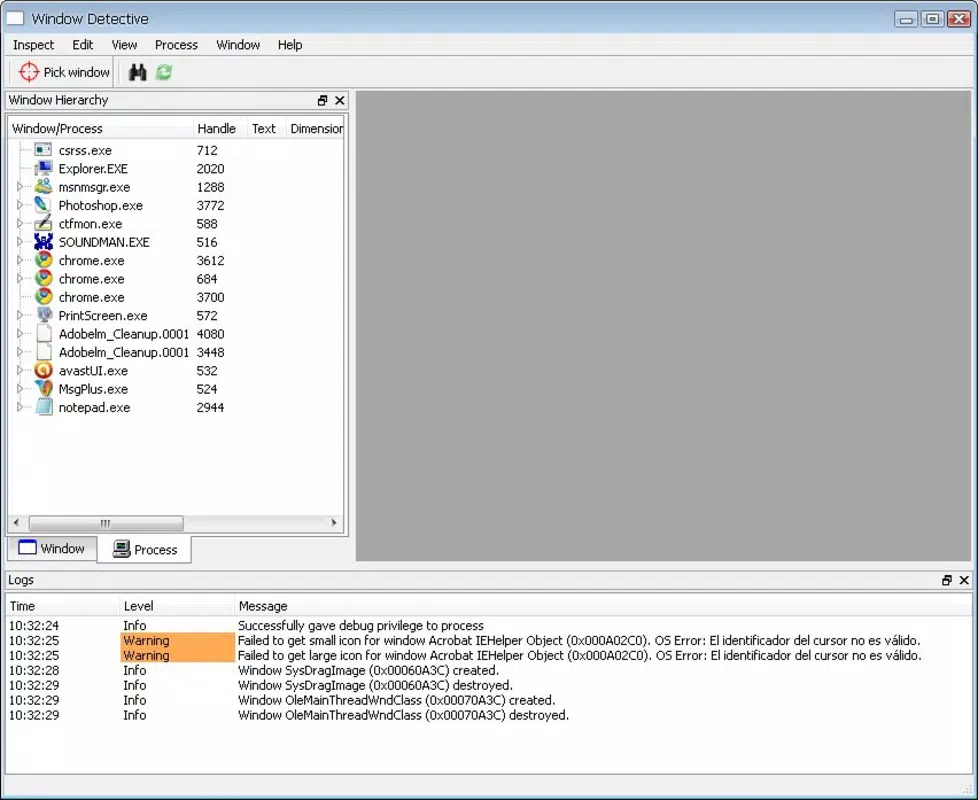
Window Detective features a clean, functional interface that prioritizes accessibility and clarity. The layout organizes process listings and window data in a structured manner, allowing users to navigate between entries with minimal effort. Visual indicators highlight resource usage levels, enabling quick identification of high-consumption processes without requiring deep analysis.
Navigational flow is straightforward, relying on right-click interactions to access detailed views. This design choice maintains consistency with desktop-based system monitoring tools, which may appeal to users familiar with similar environments. The app demonstrates responsive behavior across various device categories, though specific performance metrics were not disclosed by the developer.
Although the developer did not list formal performance metrics, the app’s long-standing presence suggests a stable and reliable operation. Users can expect consistent responsiveness during routine monitoring tasks. Stability appears to be maintained across usage sessions, with no reported issues related to crashes or freezes. However, compatibility with newer operating systems may depend on updates not yet confirmed.
Platform Compatibility & Technical Requirements
Window Detective is available for Android and iOS platforms, offering cross-device functionality. The app supports the latest versions of both operating systems, though specific minimum OS requirements were not listed. The file size is approximately 2.1 MB, making it a lightweight utility that does not impose significant storage demands.
Users should note that the developer did not specify exact compatibility details for older devices or legacy systems. While the app is designed for modern smartphones and tablets, its performance on low-end hardware remains unverified. The absence of detailed technical specifications means users should proceed with caution when installing on older or less powerful devices.
Pros and Cons
Pros
- Provides detailed insights into running processes and window behaviors.
- Supports real-time resource consumption analysis for performance optimization.
- Features a user-friendly interface despite technical complexity.
- Lightweight file size (2.1 MB) with minimal storage impact.
- Offers manual window selection for targeted system monitoring.
Cons
- May be difficult to use for beginners unfamiliar with system-level operations.
- Specific OS requirements and compatibility details were not disclosed.
- Performance on older or low-end devices is unverified.
- Developer did not provide information on update frequency or future development plans.
- Limited documentation or in-app guidance for new users.
FAQ
Is Window Detective safe to install on my smartphone?
Yes, the app is designed to access system-level data without modifying core operating system functions. It operates as a monitoring tool and does not introduce malware or security risks when downloaded from trusted sources.
Can I use Window Detective on both Android and iOS devices?
Yes, the app is compatible with both Android and iOS platforms. However, specific compatibility details for each OS version were not provided by the developer.
Does Window Detective require root or jailbreak access?
No, the app does not require root privileges on Android or jailbreak access on iOS. It operates within standard user permissions, making it accessible to general users without advanced device modifications.
How often does the app update?
The developer did not specify update frequency. Users are advised to check the app store regularly for new versions and improvements.
Can I monitor multiple windows simultaneously?
Window Detective allows manual selection of individual windows for analysis. While the app supports tracking one window at a time, simultaneous monitoring of multiple windows was not confirmed.
Final Thoughts
Window Detective stands out as a specialized tool for users who demand precise control and visibility over their device’s running processes and window activity. Its combination of detailed property viewing, manual window selection, and real-time resource analysis makes it a valuable asset for advanced users, developers, and system managers. While the interface is intuitive, the app’s technical depth may pose challenges for casual users.
For those seeking a lightweight, secure, and efficient way to monitor system performance on mobile devices, Window Detective delivers tangible benefits. Its long-standing presence in the utility space reflects its reliability and functionality. If you’re looking to optimize your device’s efficiency, troubleshoot performance issues, or gain deeper insight into app behavior, this app is worth considering.
Download Window Detective now


